Buzof - Close popup windows automatically
| Purpose | Annoying windows eliminator |
|---|---|
| Version | 5.14 |
| Package size | ~6.04MB |
| Platforms | Windows 11/Server 2022 down to 7/2008 R2, 32/64-bit |
| End User license price | $19.95 (major upgrades: $12.95) |
|
Prices in US dollars
|
|




Annoyed by the repeated assaults of spurious messages and confirmation prompts on your desktop? Would you like to get rid of Internet cookies or pesky "Are you sure you want to do this or that" questions? Don't let these or any other windows stress you, interfere with your productivity, or freeze your computer while you are away. Get rid of them with Buzof!
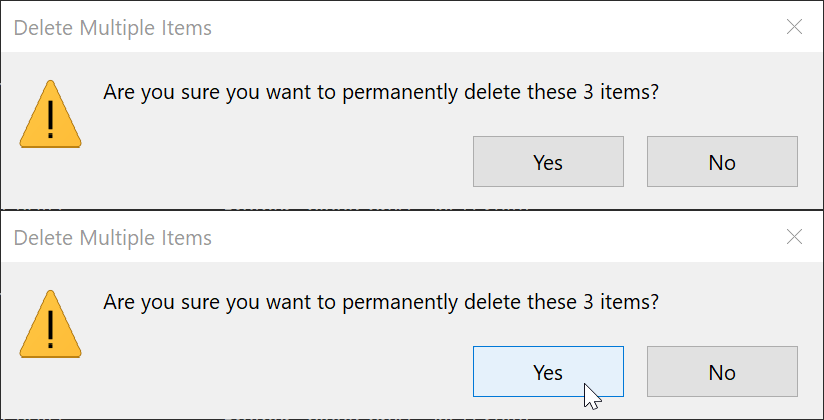
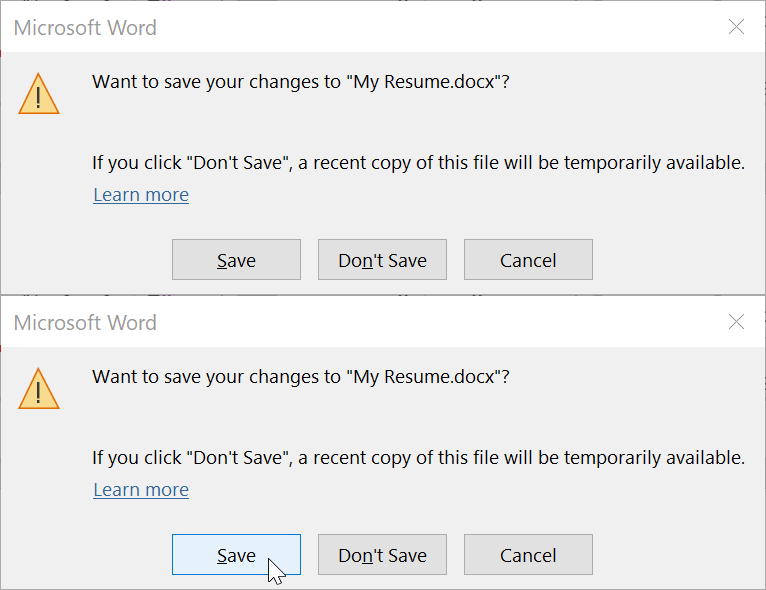
Buzof enables you to automatically answer, close or minimize virtually any recurring window including messages, prompts, and popups. Simply teach Buzof how to click the button that you would normally click on to get rid of the annoying window. From this point on, Buzof will periodically scan the desktop and take care of the window whenever it shows up again.
Teaching Buzof how to click buttons is a snap; it can be done either by dragging an icon from the Buzof window to the targeted button, or by positioning the cursor over the button and pressing a hot key.

Buzof is designed to handle many different situations that would otherwise need to be addressed individually by specialized software. In fact, Buzof handles all kinds of messages and dialog boxes so well that many users think that it was designed for their specific needs.
Since all of the information is stored in a small data file, it is easy to use one machine to define a configuration that will be propagated to other computers in a lab or data processing center. Corporate users can benefit significantly from this feature in situations where it's important to configure many workstations in a uniform way.

Stop wasting time with unsolicited messages that invade your desktop out of nowhere. Get Buzof!
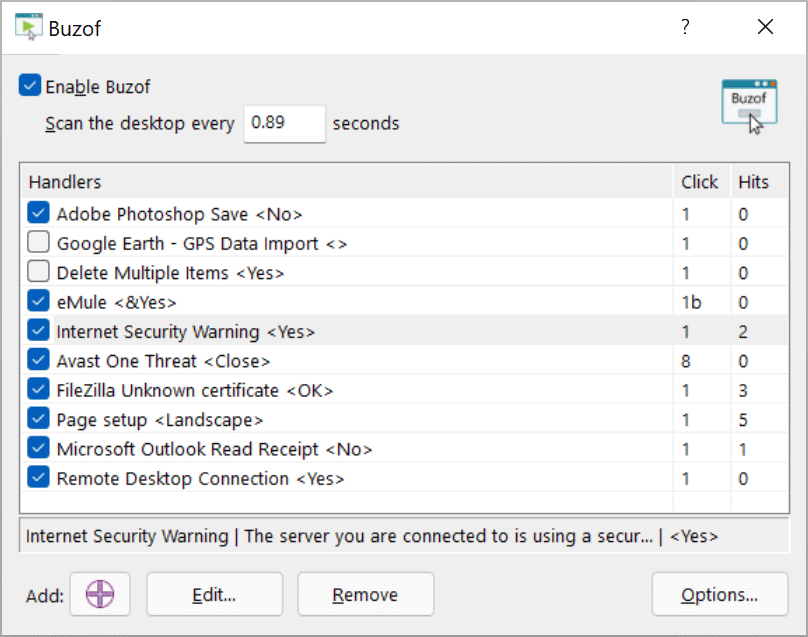
Main window
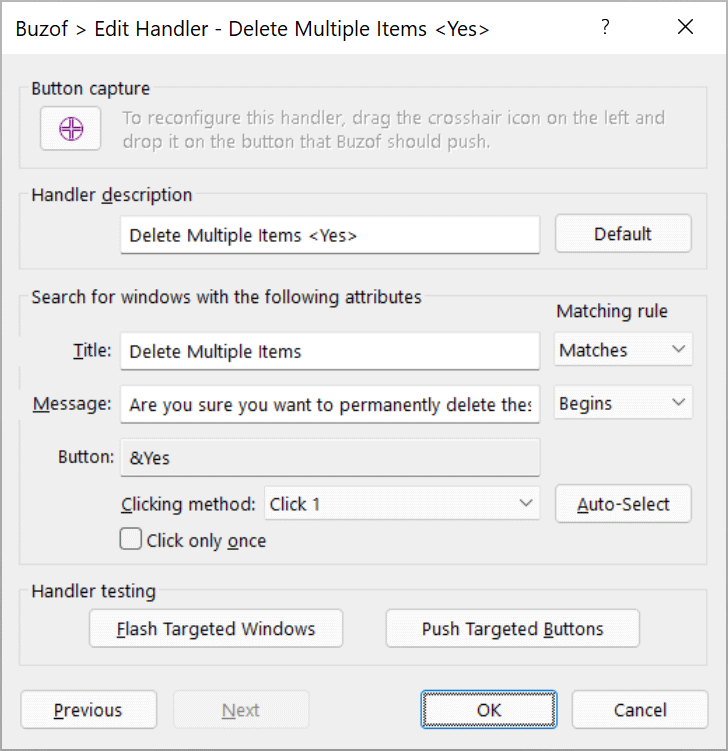
Window handler properties
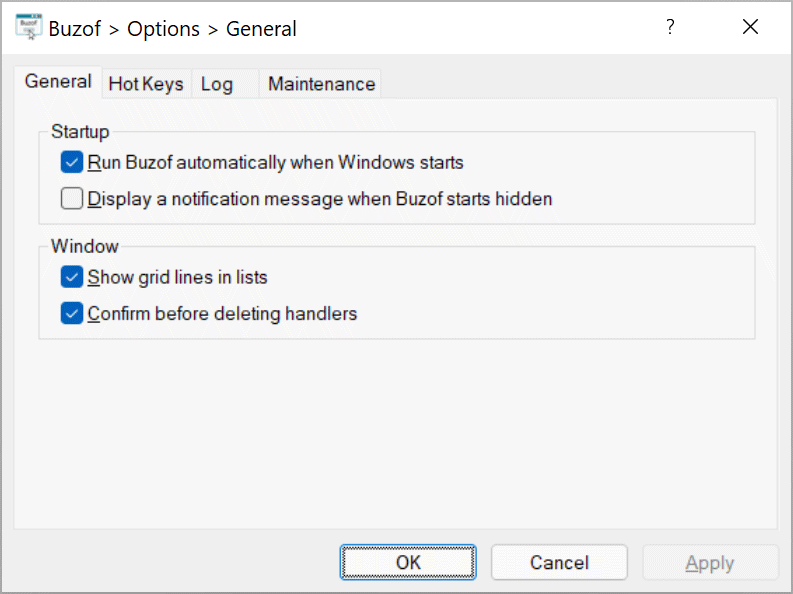
Options window
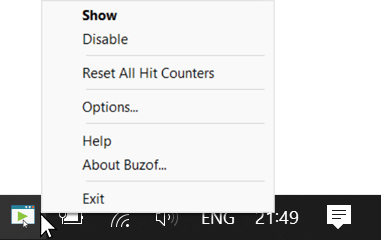
Taskbar corner icon menu
- Answer prompts by clicking on predefined buttons automatically.
- Get rid of repetitive confirmation messages.
- Suppress annoying pop-up windows.
- Close or minimize windows when they open.
- Define hot keys to trigger actions instantly.
- Log events in a log file to monitor activity.
- Features multiple clicking methods to cover many button types.
- Has a simple and easy user interface with drag and drop support.
- Works in the background and doesn't waste desktop space.
- Technical specifications.
Version 5.14 on 2024-01-12
- Updated Click 8 to handle Avast One virus warnings.
- Performed stability and performance improvements.
Version 5.10 on 2023-03-20
- Performed maintenance and improvements.
- Discontinued Windows Vista and Server 2008 R1 compatibility to take advantage of newer Windows features. You can download v5.00 to run Buzof on Windows Vista/Server 2008 R1. The new minimum is Windows 7/Server 2008 R2.
Version 5.00 on 2022-04-11
- Added a handler option to click buttons only once.
- Added a feature to log events in a log file.
- Added a feature to back up and restore user settings.
- Overhauled and augmented the Options window.
- Enhanced and optimized features.
- Updated the app to accommodate recent Windows developments.
- This version includes major enhancements. Licensees using older versions of Buzof can upgrade at a discounted price, or free of charge if the licenses were purchased within 30 days of this release date.
Version 4.34 on 2021-10-22
- Fine-tuned the taskbar notification area icon interface.
Version 4.33 on 2021-07-22
- Improved the clicking method automatic selector.
- Updated the taskbar notification area icon interface.
Version 4.32 on 2021-01-19
- Improved the Click 8 clicking method to cover more custom windows.
Version 4.31 on 2020-05-07
- Fixed a bug causing the Click 8 clicking method to crash occasionally.
- Fixed a bug causing the Configure Updates window to hang occasionally.
Version 4.30 on 2020-03-02
- Improved window detection and filtered out additional irrelevant hidden system windows.
- Fixed a bug preventing the proper reconfiguration of an existing handler.
- Updated the user interface and help guide.
- Discontinued Windows XP and Server 2003 compatibility to take advantage of newer Windows features. You can download v4.28 to run Buzof on Windows XP/2003. The new minimum is Windows Vista and Server 2008.
Version 4.28 on 2018-04-17
- Accommodated the Windows 10 Improved Boot Up Experience feature.
Version 4.26 on 2016-01-15
- Maintenance release.
Version 4.22 on 2013-06-25
- Updated the software for Windows XP/2003 backward compatibility.
Version 4.21 on 2013-05-27
- Resolved installer issues on 32-bit platforms.
Version 4.2 on 2013-01-25
- Updated the software for Windows 8 compatibility.
Version 4.1 on 2011-08-22
- Added a configurable updater to keep the program up-to-date.
- Improved the installer.
Version 4.0 on 2009-09-27
- Updated the software for Windows 7 compatibility.
- Created a 64-bit version of the software and updated the installer to include both 32-bit and 64-bit versions. The installer will automatically select the version matching your system.
- Improved the user interface.
- Added an automatic clicking method selector to the Window Handler window.
- Licensees using older versions of the product can upgrade to this major update at a discounted price.
Version 3.0 on 2008-03-02
- Updated the software to comply with Vista requirements. Previously, the program and its installer ran on Vista in compatibility mode. Now, they run on Vista in native mode, comply with UAC and other Vista technologies, and are digitally signed with an Authenticode certificate to ensure their integrity and authenticity. These major enhancements provide a better and safer experience when running the software on all supported Windows versions.
- Redesigned the application to use the Unicode standard and improve its Windows integration and multilingual support.
- Redesigned the installer to use Microsoft MSI technology and comply with recent Windows guidelines.
- Redesigned the help guide.
- Discontinued Windows 98 and Me compatibility to take better advantage of new Windows features.
- Upgrading to this major update v3.0 requires a licensing fee for existing customers who are licensed to use older versions.
v2.0 on 2006-05-30
- Added support for Windows XP features.
- Added a switch to run Buzof when Windows starts.
- Added support for multiple Windows user accounts.
- Added new clicking methods.
- Added the capability to import and export window handlers.
- Made the [X] button in the window title bar hide Buzof instead of closing it.
- Added Unicode support to improve multilingual text handling.
- Revamped the user interface.
- Revamped the help guide.
- Added an option to help locate targeted windows.
-
Enhanced the window handler list by adding the following features:
- A column displaying the clicking method.
- A column displaying the number of windows that have been handled.
- Context-sensitive right-click menus to edit handler properties.
- Handler sorting by column to organize the list.
- Discontinued Windows 98 and Me compatibility to take better advantage of new Windows features.
- Discontinued French versions.
- Upgrading to this major update v2.0 requires a licensing fee for existing customers who are licensed to use older versions.
v1.7 on 2001-10-09
Added hot key support for enabling/disabling Buzof. Added regional settings support. Overhauled the help feature. Released the French version of Buzof.
v1.6 on 2001-02-21
Added a feature to view previously handled windows, added a "Close" clicking method, and improved the coverage of existing clicking methods.
v1.5 on 1999-12-28
Added hot key support.
v1.46 on 1999-06-02
Added new clicking methods.
v1.45 on 1999-05-05
Added automatic Click method detection, ignored disabled buttons, and improved some user interface elements.
v1.44 on 1998-05-01
Added a new clicking method to handle (at a minimum) Netscape Navigator's JavaScript error messages.
v1.43 on 1998-04-08
Added support for decimal scanning frequencies in order to provide more choices between 0 and 1 seconds, and added a default cookie eliminator handler for MS Internet Explorer v4.x.
v1.42 on 1998-01-29
Added a new clicking method.
v1.41 on 1997-10-10
Enabled MS Office 97 message box handling.
v1.4 on 1997-06-22
Updated installation procedure and package information, added support to minimize windows, and move user-defined settings from the registry to a dedicated data file.
v1.2 on 1997-03-23
Fine tuned the message handler to cover CleanSweep and the like, and added an import/export feature.
v1.1c on 1997-03-13
Fine tuned the message handler to cover Schedule+ and the like, and saved message modifications more often.
v1.1b on 1997-03-12
Fine tuned the message handler.
v1.1a on 1997-03-03
Added a dragging option for low resolution and crowded desktops.
v1.1 on 1997-02-19
Saved settings before rebooting, remembered window visibility, improved message handling, and added predefined handlers.
v1.0a on 1997-02-06
Fine tuned the message handler.
v1.0 on 1997-01-26
Initial release.
The following older versions are available to licensees for downloading: